shot-scraper for a subset of table columns
This post is over three years old. Some of it may no longer reflect current tooling or my current view.
For Datasette issue #1844 I wanted to create the following screenshot:
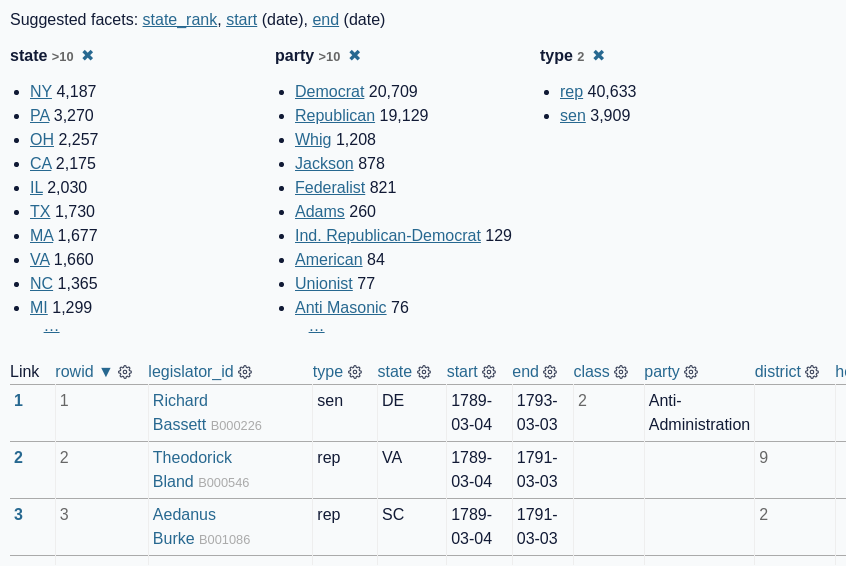
From this page: https://congress-legislators.datasettes.com/legislators/legislator_terms?_facet=type&_facet=party&_facet=state&_facet_size=10
But… I only wanted to include the first ten columns of the first three rows of the table.
You can tell shot-scraper to take a screenshot of just a specific region of a page, which you can define using CSS selectors.
The selectors_all option in YAML (or --selector-all using the CLI tool) means “derive a box that includes all of the elements matching this selector”.
Here’s how I took the screenshot of just the first ten columns and first three rows:
- url: https://congress-legislators.datasettes.com/legislators/legislator_terms?_facet=type&_facet=party&_facet=state&_facet_size=10
  selectors_all:
  - .suggested-facets a
  - tr:not(tr:nth-child(n+4)) td:not(:nth-child(n+11))
  padding: 10
  output: faceting-details.png
The key trick here is this CSS selector:
tr:not(tr:nth-child(n+4)) td:not(:nth-child(n+11))
This is selecting table cells - <td> elements. It looks for cells that do NOT match :nth-child(n+11) - i.e. cells that are not the 11th child or higher in their group. These cells should be inside <tr> elements that are NOT 4th or higher (4th because the table headers are in a <tr> too).
Here’s GPT-3’s attempt at explaining the selector (which matches my own explanation):
Explain this CSS selector:
tr:not(tr:nth-child(n+4)) td:not(:nth-child(n+11))
This selector is selecting all table cells in rows that are not the fourth row or greater, and are not in columns that are the 11th column or greater.